Loading prompts...
Microsoft Word
Word Formatting Script
Copy this VBA macro into your own copy of Microsoft Word to format pasted AI chat logs.
How to install it
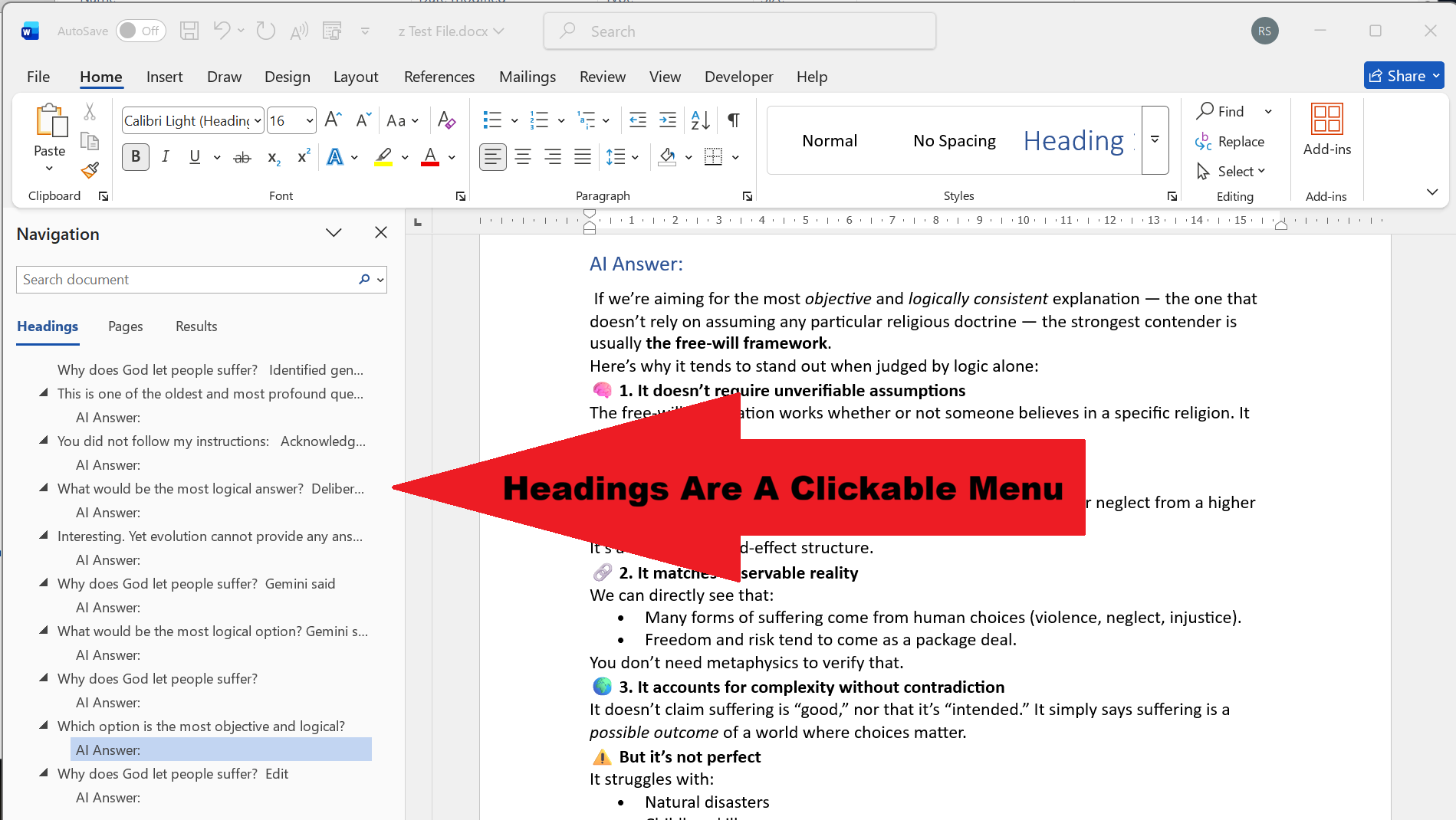
This image shows the general Word/VBA formatted layout after you paste and run the script.
- Open Microsoft Word.
- Press Alt + F11 to open the VBA Editor.
- In the left panel, click Normal or the document you want to use.
- Go to Insert > Module.
- Delete anything in the new blank module.
- Come back here and click Copy Script.
- Paste the full script into the module window.
- Press Ctrl + S to save.
- Close the VBA Editor and return to Word.
- Run the macro from View > Macros, choose FormatAIChatLog, then click Run.
VBA script
Copy everything below and paste it into your new Word module.
Loading script...